How it works
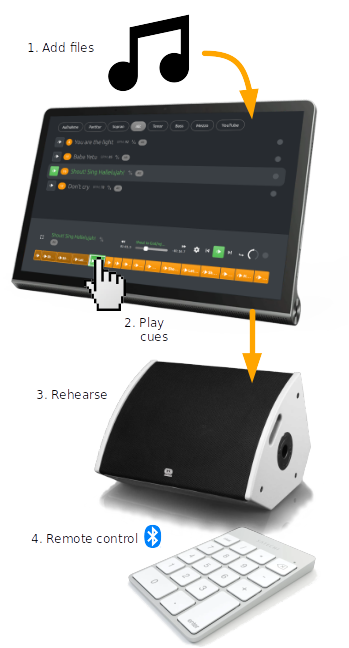
- Add music files (mp3, wav, ...) to create a compilation of tracks.
- Set cues to specific points in time (e.g. intro, verse, chorus, rehearsal marks,...) in the playback file, with a name and an optional shortcut mnemonic
- In the session, using Replayer on your portable device, play any part of your set with the click of a cue button.
- Additionally, you can use a (bluetooth) numeric keypad, as a remote control
Features
For each cue, (e.g. intro, verse, chorus, rehearsal marks,...) create an offset / time mark with a description
Import and Export a set of tracks as a compilation in a ZIP archive
Share your annotated tracks with other choirs, solo singers, musicians or dancers
Copy the cues to tracks with different recordings, e.g. per voice ( SATB / soprano, alto, tenor, bass)
Offline use
The Replayer web app is also installable as a Progressive Web App (PWA), for offline use.
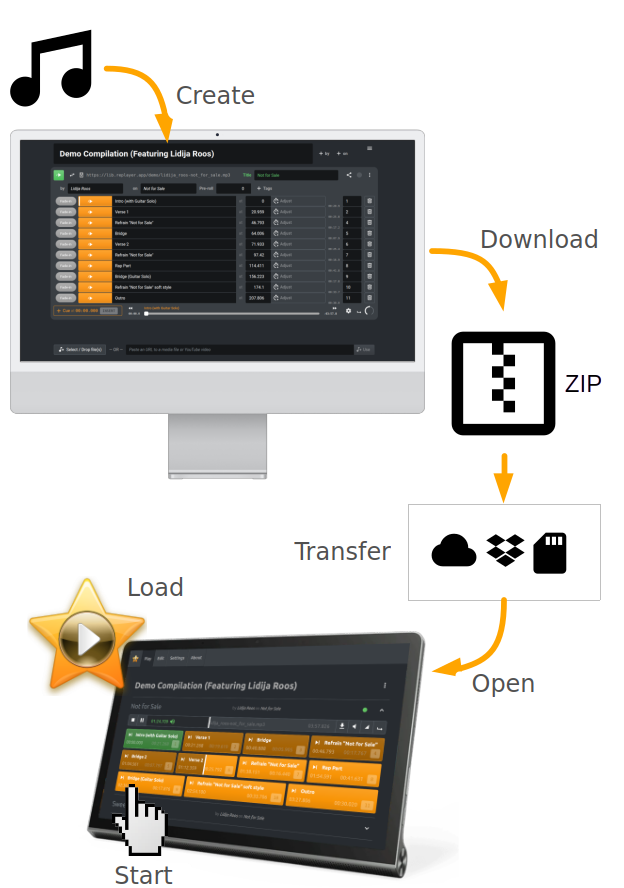
On a desktop computer or DAW:
- Create the compilation, by loading music into the empty Replayer app, then edit the tracks.
- Download the compilation as a ZIP file (≡/Compilation/Download...).
- Transfer the ZIP file to the mobile device
e.g. via cloud storage (One-Drive, Dropbox), e-mail, messenger, USB flash drive, SD card...
On the mobile device:
- Load the online Replayer app on the device, then install for offline use.
- Start the installed Replayer app via the home screen.
- Open the previously transferred ZIP file from within the Replayer app. Ready!
Keypad control
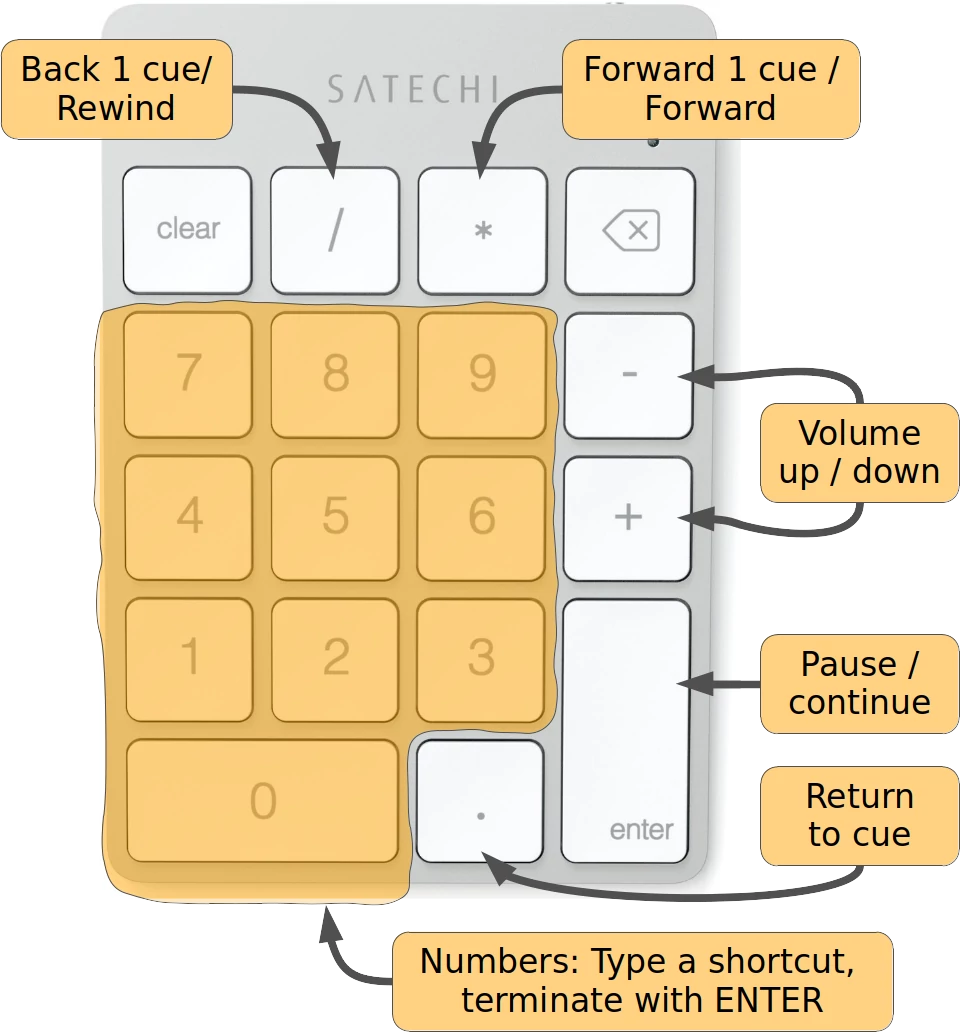
Playback can be controlled via the numeric keypad. Via Bluetooth, even remotely. See the documentation for more information.
Documentation
- FAQ
- Installation
- Loading music
- Create a new compilation
- Edit a new track
- Keyboard shortcuts
- Loop modes
- Playback speed
- Fade-in / Fade-out
- Fullscreen display
- Tags
- Sharing content with Replayer
- Compilation types
- Track API
- Package API
- Media formats
- Glossary
- Compatibility / Known Issues
- Comparisons between Replayer and other Players
- Documentation for the Classic (Windows) Replayer
- Experiments
- Use cases
- Audio formats
More...
- Blog
- Quirli is an online Replayer variant, that supports online media sources, including YouTube and Vimeo
- Privacy Policy
